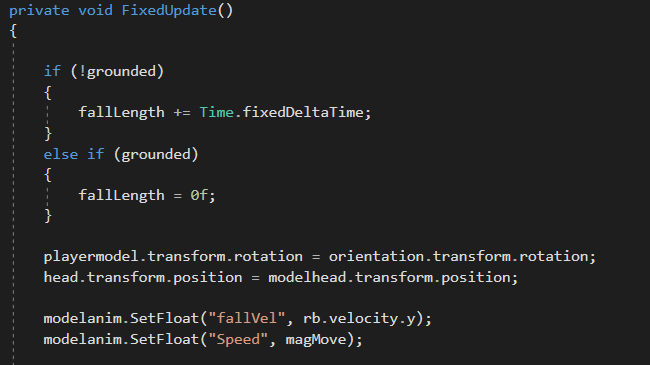
The player, when doing any of the movement that he has been coded to do, also has miniature animations that alter the angle of the camera, to make the movement feel more real, rather than just being attached to the wall, it makes them look as if they are diagonally running against the wall.
This is to add more feel to the game, and to make the parkour movement more realistic.
This was done by using the Unity Animator, moving the player camera to a 5 degrees tilt at certain points, using boolean changes that were attached to the movement script, updating the animation blend tree. This made sure that the camera tilted at the correct side whenever the player was on a specific wall.
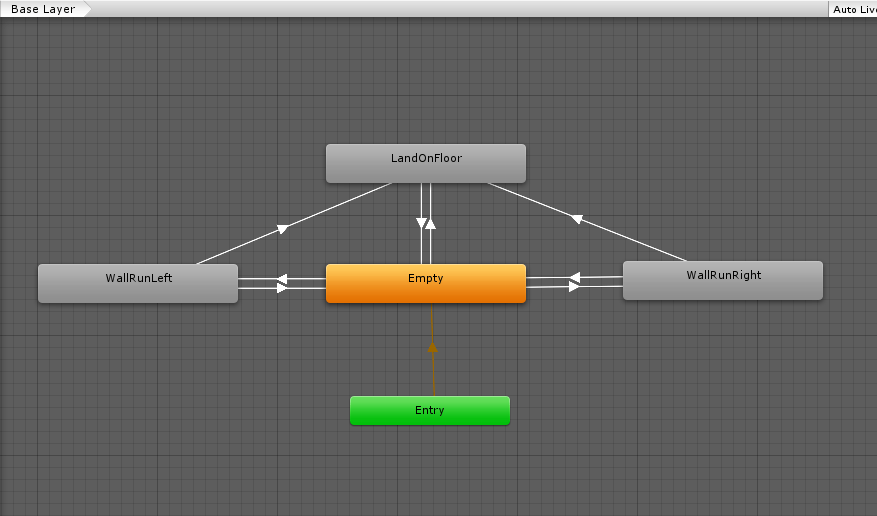
Adjusting and timing the animations through boolean toggles inside of the main script for the player seemed like the most precise way to start and end animations for the player, as well as it being the way that I am must accustomed to doing inside of Unity.
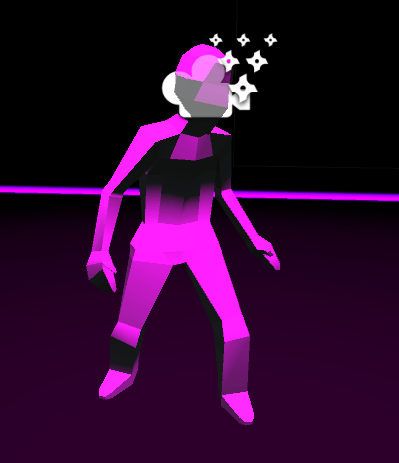
Next, I had to get some animations working on the new player character that I had created for the player, so that the shadow of the character was not just a static mesh that would not look that good for the user.
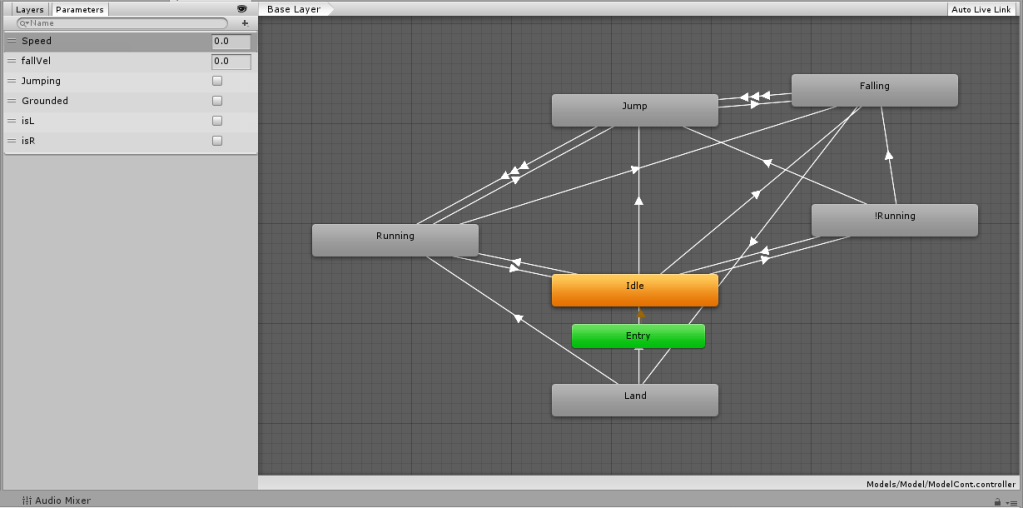
Using the same format that I had done before for the parkour animation prior, with the boolean toggles inside of the code, I did the same technique for this, although with more complex variable changes so that they change perfectly with each movement, and can go back to each one as it needs to in-game. Using animations that I received from Mixamo, the character was then fully animated, depending on if they were idle, walking, jumping, falling or landing.
To make sure that the characters animations did not interfere with what the player sees, which could cause motion sickness if done, I attached the camera to an invisible object at head level, whereas the players visible model is a separate entity parented to the player, so that it is able to do any complex or simple animations that won’t affect the players camera whatsoever, but as they are parented, their position will never change, which means that the model will always be aligned with the camera, no matter the animation, rotation etc.