When we got assigned into groups, I began to create different paths that we could communicate down into, so that we were never in the dark about what we are doing, so making sure that everyone knew what they were doing was a priority for me.
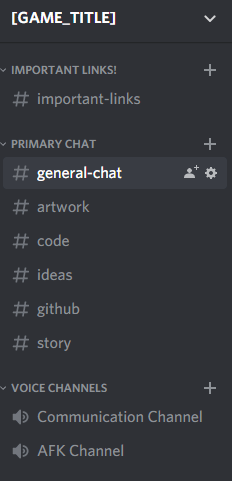
I started off by creating a Discord Server, gathering all the team members into the server and giving them all administrator privileges, then creating different servers to organise our communication, making channels such as general, art, code and ideas, as well as a few others so that we can all talk and find stuff that we need when we need it. This also works as a secondary piece of evidence when I need to show how we worked and decided what to do.
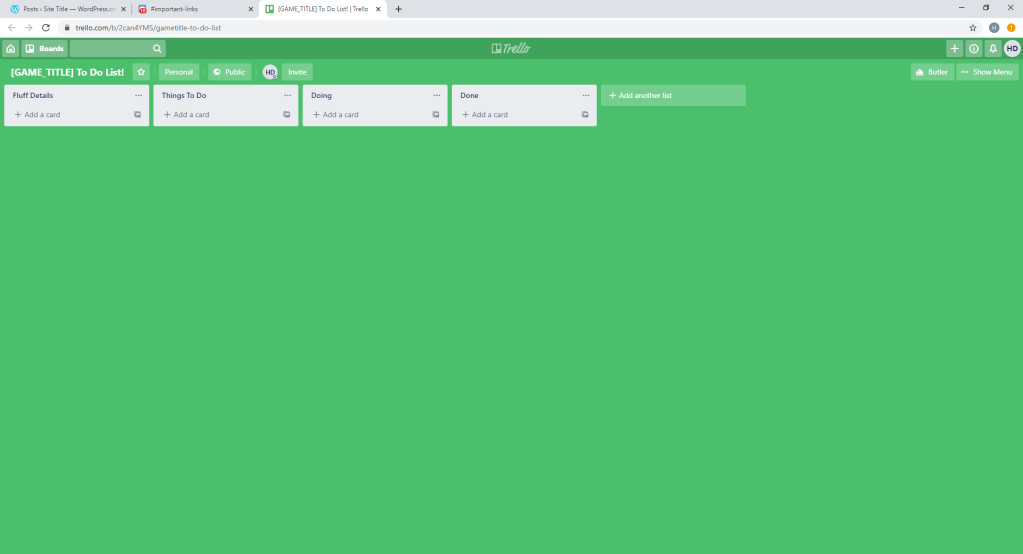
Once everyone was in the group, I began to make a Trello Page, an interactive to do list so that everyone knows what is done and what is not done, so that nothing ever gets created twice, This again helps for involvement and organisation of the group, as you can colour code what you wish to do, so everyone knows that it needs to be done, when and by who. That way, if that person fails to complete it, it can be done before it becomes a problem that it has not been done.
Once that all of that was done, we began to discuss ideas about the type of game that we wanted to create, as well as the scope of the game itself, as we did not wish to make the game to big and end the assessment with a game that was unfinished. Once we had a few ideas that were comfortable with, I loaded up Unity 2017 and began to code a basic player movement script that we could feel out.
When I began to code the player script, I took inspiration from some of my past games in Unity, as well as two Youtube Channels that I look for coding help, called “Brackeys” as well as ” Blackthornprod”. I coded a basic look script so that the mouse works, as well as a basic movement and gravity system.

